

Introduction
An hp laptop charger is much more than a simple accessory—it is the essential component that keeps your laptop powered, your battery healthy, and your daily work uninterrupted. Whether you use your HP laptop for business, education, creative projects, or entertainment, the right charger directly affects both performance and long-term reliability.
Choosing a replacement charger may seem straightforward until you discover different connector types, voltage ratings, wattage options, and original versus third-party models. Many users unknowingly purchase incompatible chargers that lead to slow charging, overheating, or unexpected shutdowns. Understanding how HP chargers work can help you make a confident purchase while protecting your laptop from unnecessary wear.
This guide explores everything you need to know about HP laptop chargers—from compatibility and specifications to maintenance, troubleshooting, and buying advice. Whether you’re replacing a lost adapter or simply want to extend the life of your existing charger, you’ll find practical information that helps you make informed decisions.
Understanding an HP Laptop Charger and How It Works
An HP laptop charger converts alternating current (AC) from a wall outlet into direct current (DC) that your laptop can safely use. While this process happens quietly in the background, it plays a critical role in powering your computer and charging the internal battery. Every charger is designed to deliver a specific voltage and current that matches the requirements of compatible HP laptops.
Unlike universal phone chargers, laptop power adapters are engineered to handle significantly higher electrical loads. This allows them to power demanding hardware such as processors, graphics components, storage devices, and displays while simultaneously charging the battery. A properly matched charger ensures consistent performance regardless of whether you’re browsing the web or editing large video files.
The Main Parts of an HP Charger
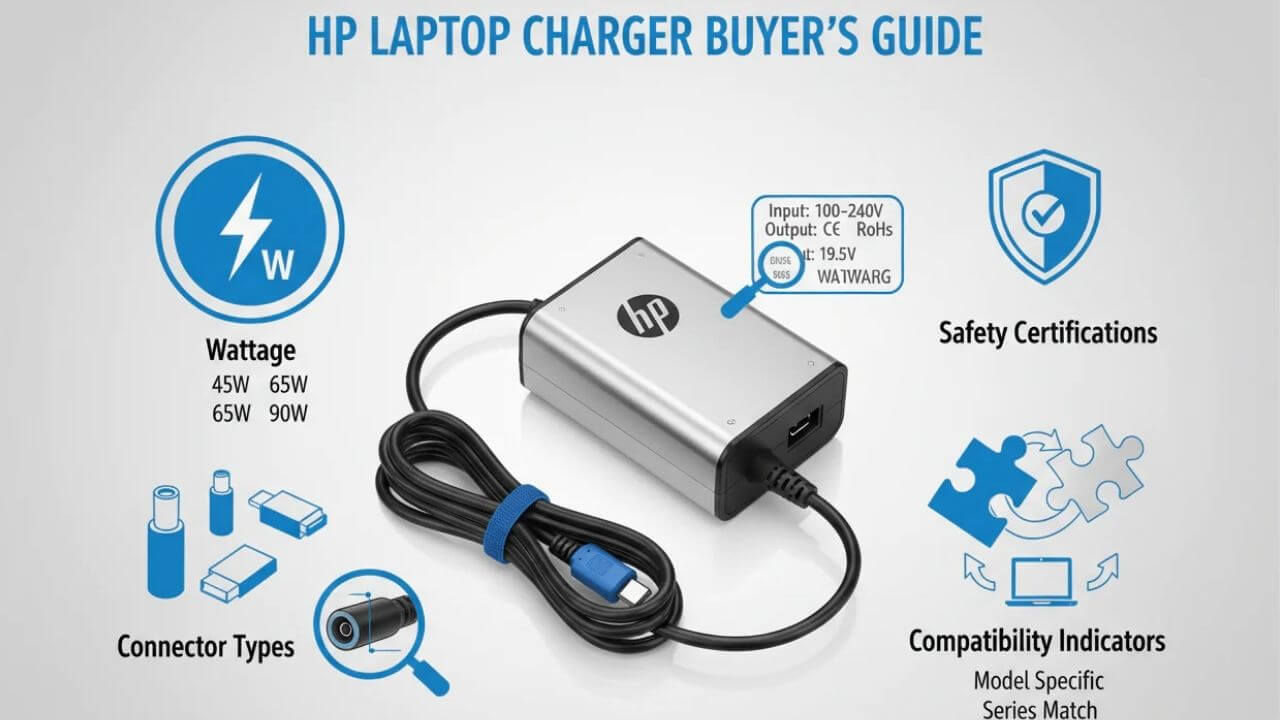
A standard HP charger consists of several components working together. The AC cable connects to the electrical outlet, while the power brick converts electricity into the appropriate output. Finally, the DC connector plugs directly into the laptop. Modern HP models may use either a traditional barrel connector or a USB-C connector depending on the laptop generation.
Each component contributes to overall safety. The adapter contains circuitry that regulates voltage, protects against overheating, and minimizes power fluctuations. High-quality chargers also include safeguards against short circuits and excessive current, helping prevent damage to both the charger and the laptop.
Why Charger Specifications Matter
Every HP laptop is designed with specific electrical requirements. Voltage must match exactly, while wattage should meet or exceed the laptop’s recommended level. Using an underpowered charger may allow basic charging but often results in slower charging speeds or reduced performance during demanding tasks.
A charger with sufficient wattage enables the laptop to operate at full performance while simultaneously charging the battery. This becomes particularly important for gaming laptops, workstation models, and devices with dedicated graphics processors that require higher power delivery.
Choosing the Right HP Laptop Charger for Your Device
Finding the correct replacement charger starts with identifying your laptop model. HP manufactures numerous product lines, including Pavilion, Envy, Spectre, EliteBook, ProBook, Victus, and OMEN, each with different power requirements. Even laptops that appear nearly identical may require different chargers.
The easiest way to determine compatibility is by checking the label on your original charger. It lists the output voltage, amperage, and wattage. These values provide the information needed when purchasing a replacement. If the original charger is unavailable, the laptop’s bottom label or user manual often includes compatible power specifications.
Barrel Connectors vs. USB-C Charging
Older HP laptops commonly use round barrel connectors. These connectors come in different sizes, so physical compatibility matters just as much as electrical compatibility. A connector that fits loosely may interrupt charging or damage the charging port over time.
Many newer HP laptops support USB-C Power Delivery. USB-C chargers offer greater flexibility because compatible chargers can power multiple devices, including laptops, tablets, and smartphones. However, not every USB-C charger provides enough wattage for every HP laptop. Always verify that the charger meets your laptop’s power requirements.
Original vs. Third-Party Chargers
Original HP chargers are designed specifically for HP devices and undergo compatibility testing. They generally offer dependable performance, consistent charging, and built-in protection systems.
High-quality third-party chargers can also perform well if they meet recognized safety standards and accurately match the required specifications. The key is avoiding extremely inexpensive products from unknown manufacturers, as they may use lower-quality components that affect reliability and safety.
Common Charging Problems and Practical Solutions
Even a reliable HP laptop charger can develop issues after years of regular use. Constant bending, frequent travel, accidental drops, and daily plugging and unplugging all contribute to wear. Fortunately, many charging problems can be identified before they become serious.
One of the most common symptoms is intermittent charging. If your laptop charges only when the cable is held at a particular angle, the cable or connector may have internal damage. Continuing to use a damaged charger increases the likelihood of complete failure.
Slow Charging
Slow charging often results from using a charger with insufficient wattage. Background applications, high screen brightness, and demanding software can consume nearly all available power, leaving little energy for battery charging.
Temperature also influences charging speed. Modern HP laptops reduce charging rates when battery temperatures become excessively high to protect battery health. Allowing the laptop to cool naturally often restores normal charging performance.
Laptop Not Charging at All
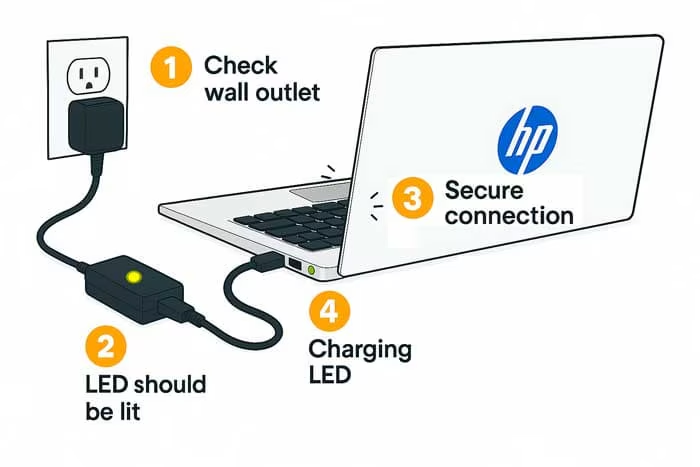
If the laptop fails to charge entirely, begin with the simplest possibilities. Check the wall outlet, inspect the charging cable for visible damage, and verify that the connector fits securely into the laptop.
Battery health should also be considered. An aging battery may eventually lose its ability to hold a charge even when the charger functions correctly. Many HP laptops include built-in battery diagnostic tools that help identify battery-related issues before replacement becomes necessary.
Caring for Your HP Laptop Charger to Extend Its Lifespan
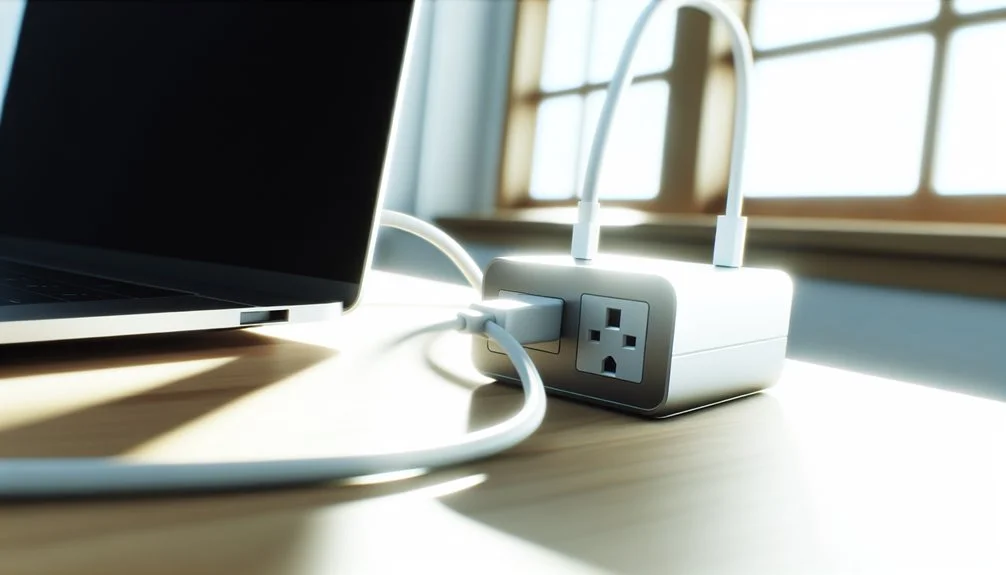
A charger experiences considerable physical stress during everyday use. Proper handling can significantly increase its lifespan while reducing the risk of electrical problems.
One of the best habits is disconnecting the charger by gripping the plug rather than pulling the cable. Repeatedly yanking the cord weakens internal wiring, eventually causing intermittent charging or complete failure. Small habits like this can add years to the life of the charger.
Proper Cable Storage
Avoid wrapping the cable tightly around the power brick. Sharp bends place unnecessary strain on the internal wires, especially near the connector ends where damage most frequently occurs.
Instead, loosely coil the cable using gentle loops. Cable organizers or reusable straps help keep cords tidy without creating excessive tension. This simple practice reduces cable fatigue and minimizes internal wire breakage.
Keeping the Charger Cool
Power adapters naturally generate heat during operation. While warm temperatures are normal, excessive heat shortens component lifespan.
Always place the charger on a hard, well-ventilated surface. Avoid covering it with blankets, clothing, or cushions that trap heat. Keeping ventilation unobstructed allows the adapter to dissipate heat efficiently and operate within its intended temperature range.
Regularly cleaning dust from the charger and connectors also helps maintain efficient operation. Dust buildup may not seem significant, but over time it can affect heat dissipation and connector reliability.
Buying a Replacement HP Laptop Charger: What to Look For
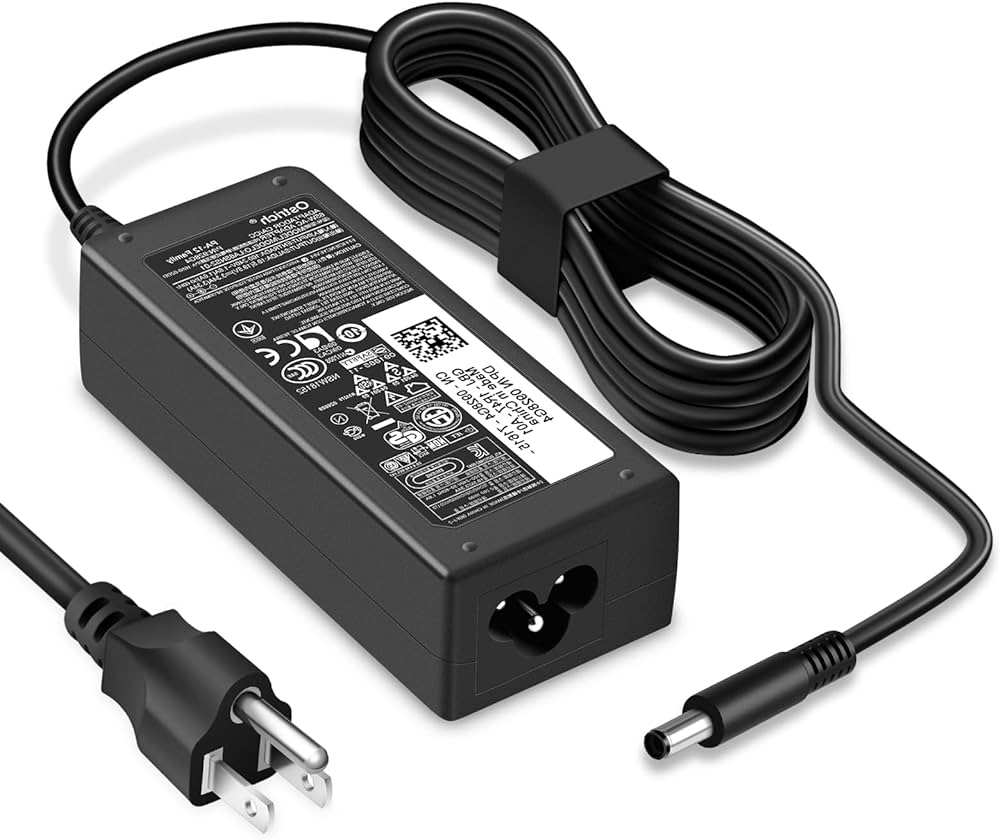
Purchasing a replacement charger involves more than simply finding one that physically fits. Electrical compatibility, manufacturing quality, and safety certifications all deserve careful consideration.
Start by confirming the required voltage. This should match the original charger exactly. Next, ensure the replacement provides at least the recommended wattage. A higher wattage charger is generally acceptable if the voltage remains correct because the laptop draws only the power it requires.
Safety Features Worth Having
Reliable chargers typically include multiple protective systems. These safeguards help prevent overheating, overcurrent conditions, voltage spikes, and short circuits. Such protections contribute to safer operation and improve the longevity of both the charger and the laptop.
Build quality also matters. Durable insulation, reinforced connector ends, and high-quality internal components reduce the likelihood of cable damage and electrical failure. Spending slightly more on a well-built charger often proves less expensive than repeatedly replacing low-quality alternatives.
Recognizing Signs of a Poor-Quality Charger
Certain warning signs should encourage caution before purchasing. Extremely low prices compared to reputable products, missing technical specifications, poor packaging, and unusually lightweight adapters may indicate lower manufacturing quality.
After purchasing, monitor the charger during its first few uses. Excessive heat, buzzing sounds, unusual odors, or inconsistent charging should never be ignored. These symptoms suggest the charger may not be functioning correctly and should be replaced promptly.
A dependable charger provides stable charging, operates quietly, and maintains consistent performance throughout extended use. Choosing quality from the beginning offers better long-term value while reducing the risk of unexpected interruptions during work or study.
Conclusion
An HP laptop charger plays a far more significant role than simply keeping a battery full. It supplies stable power to every component inside the laptop while helping preserve battery performance and ensuring reliable operation throughout the day. Understanding specifications such as voltage, wattage, connector type, and compatibility makes selecting the right charger much easier.
Regular care also contributes to longer charger life. Gentle cable handling, proper storage, adequate ventilation, and periodic inspection help prevent many common charging problems before they occur. When replacement becomes necessary, prioritizing compatibility, safety features, and overall build quality is a worthwhile investment.
Whether you’re purchasing your first replacement adapter or simply learning more about your laptop’s power system, making informed decisions ensures your HP laptop continues performing efficiently for years to come.
Frequently Asked Questions (FAQs)
1. Can I use a higher wattage HP laptop charger?
Yes. As long as the voltage matches your laptop’s requirements and the connector is compatible, a higher wattage charger is generally safe because the laptop only draws the power it needs.
2. Is it safe to leave my HP laptop plugged in overnight?
Most modern HP laptops include battery management systems that reduce the risk of overcharging. Leaving the charger connected occasionally is generally safe.
3. Why is my HP charger getting warm?
A moderate amount of heat is normal during charging. However, excessive heat, burning smells, or discoloration may indicate a faulty charger that should be replaced.
4. Can I charge my HP laptop with a USB-C phone charger?
Only if your laptop supports USB-C charging and the charger provides sufficient power. Many phone chargers do not deliver enough wattage for laptops.
5. How long does an HP laptop charger typically last?
With proper care, a quality HP charger often lasts between three and six years, although actual lifespan depends on usage and handling.
6. What happens if I use the wrong voltage charger?
Using the wrong voltage can prevent charging and may damage the laptop or charger. Always match the voltage specified for your HP laptop.
7. How can I tell if my charger or battery is faulty?
If another compatible charger works correctly, the original charger is likely defective. If multiple chargers fail to charge the laptop, the battery or charging circuit may require inspection.
8. Can a damaged charging cable be repaired?
Minor external damage may sometimes be repaired temporarily, but replacing a damaged charger is the safest and most reliable solution.
9. Why does my laptop charge slowly while I’m using it?
Heavy workloads consume significant power. If the charger’s output barely meets the laptop’s power demand, charging may slow considerably during intensive tasks.
10. What should I check before buying a replacement HP laptop charger?
Verify your laptop model, connector type, voltage, amperage, wattage, safety certifications, and overall product quality to ensure full compatibility and reliable performance.
